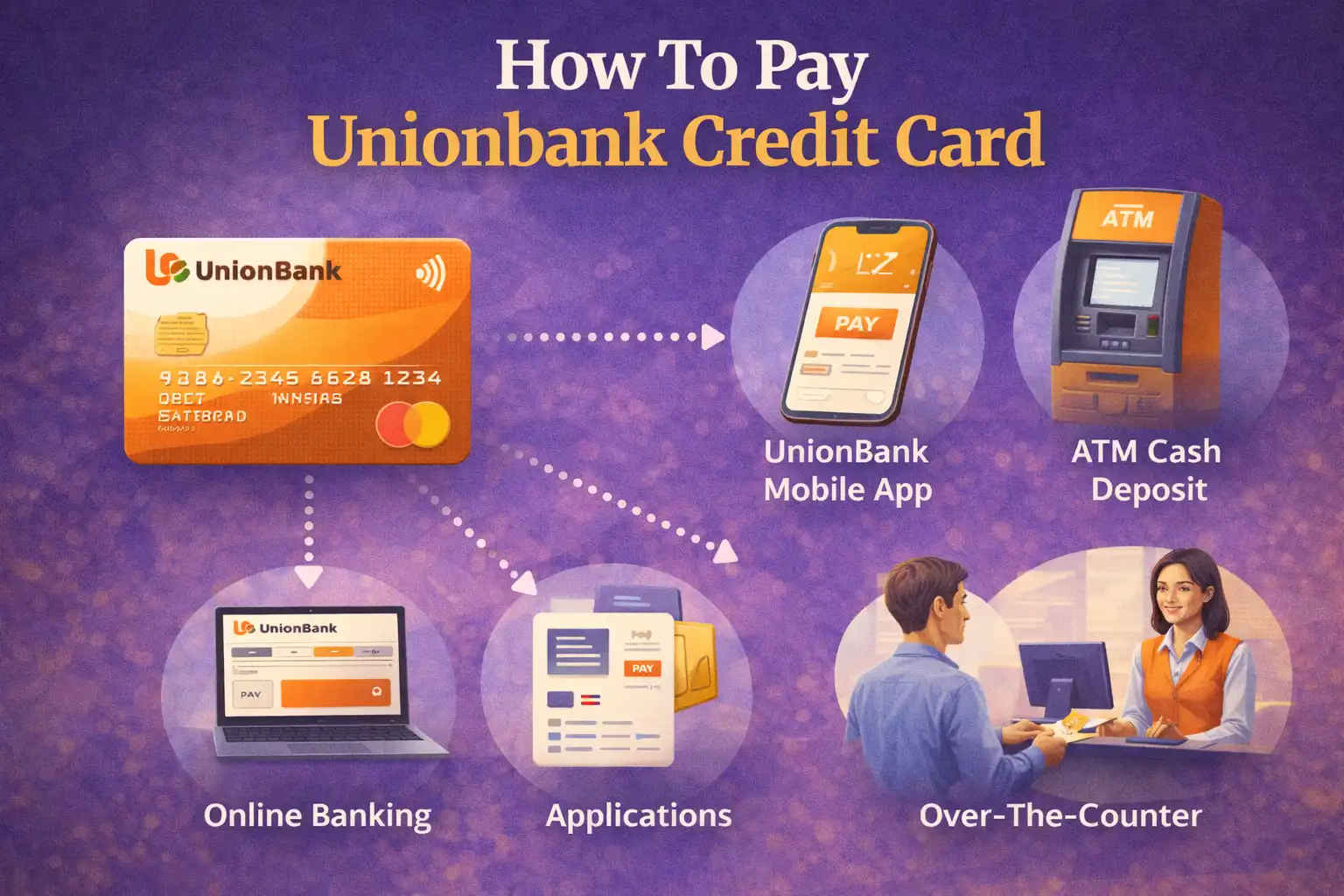
Paying your UnionBank credit card bill on time is essential to maintain a good credit score and avoid late payment fees. UnionBank offers multiple convenient payment channels that allow you to settle your credit card dues anytime, anywhere. Whether you prefer online banking, mobile apps, over-the-counter payments, or automatic debit arrangements, this comprehensive guide will walk you through all the available methods to pay your UnionBank credit card.
Quick Payment Options
Online Banking: UnionBank Online, UB Mobile App
Other Banks: BPI, BDO, Metrobank, and more
Payment Centers: Bayad Center, SM Bills Payment, 7-Eleven
Over the Counter: UnionBank branches
Auto-Debit: Set up automatic payments from your account
UnionBank Credit Card Payment Methods Overview
UnionBank provides various payment channels to make settling your credit card bill as convenient as possible. Here’s a quick overview of all available options:
| Payment Method | Processing Time | Availability |
|---|---|---|
| UnionBank Online Banking | Real-time | 24/7 |
| UB Mobile App | Real-time | 24/7 |
| Other Bank Online/Mobile | 1-2 business days | 24/7 |
| UnionBank Branches | Same day | Banking hours |
| Payment Centers (Bayad, SM, 7-Eleven) | 1-2 business days | Store hours |
| Auto-Debit Arrangement | On due date | Automatic |
Method 1: Pay via UnionBank Online Banking
The fastest and most convenient way to pay your UnionBank credit card is through UnionBank Online Banking. This method provides real-time posting, meaning your payment is reflected immediately.
Step-by-Step Guide:
Step 1: Log in to UnionBank Online
Visit the UnionBank website at www.unionbankph.com and click on “Login” at the top right corner. Enter your username and password.
Step 2: Navigate to Pay Bills
Once logged in, go to the main menu and select “Pay Bills” or “Payments” from the navigation options.
Step 3: Select UnionBank Credit Card
From the list of billers, choose “UnionBank Credit Card” or it may already appear in your enrolled billers if you’ve set it up previously.
Step 4: Enter Payment Details
Input the following information:
- Your 16-digit UnionBank credit card number
- Payment amount (minimum due, total amount due, or custom amount)
- Debit account (select which UnionBank account to deduct from)
Step 5: Review and Confirm
Double-check all the details you’ve entered. Make sure the credit card number and amount are correct. Click “Confirm” or “Submit”.
Step 6: Save the Receipt
After successful payment, a confirmation receipt will appear. Save or print this for your records. The payment is posted in real-time.
Pro Tip: Enroll your credit card as a biller to make future payments faster. You won’t need to enter your card number every time.
Method 2: Pay via UnionBank Mobile App
The UnionBank Mobile App offers the same convenience as online banking, but on your smartphone. Download the app from Google Play Store or Apple App Store.
Step-by-Step Guide:
Step 1: Open the UB App
Launch the UnionBank mobile app on your phone and log in using your credentials or biometric authentication.
Step 2: Tap on Pay Bills
From the home screen, tap on “Pay Bills” or look for the bills payment icon.
Step 3: Choose UnionBank Credit Card
Select “UnionBank Credit Card” from your list of billers or search for it in the biller directory.
Step 4: Enter Payment Information
Fill in your 16-digit credit card number and the amount you wish to pay. Select the account to debit from.
Step 5: Confirm Payment
Review the payment details and tap “Confirm”. You may need to enter your MPIN or use biometric authentication for security.
Step 6: Get Confirmation
Once processed, you’ll receive a confirmation message with a reference number. Screenshot or save this for your records.
Method 3: Pay via Other Banks’ Online Banking or Apps
You can also pay your UnionBank credit card through other banks’ online banking platforms or mobile apps. This is convenient if you maintain accounts with multiple banks.
Supported Banks:
| Bank Name | Platform | Processing Time |
|---|---|---|
| BPI (Bank of the Philippine Islands) | BPI Online, BPI Mobile App | 1-2 business days |
| BDO (Banco de Oro) | BDO Online, BDO Mobile App | 1-2 business days |
| Metrobank | Metrobank Online, Metrobank App | 1-2 business days |
| Security Bank | Security Bank Online, Mobile App | 1-2 business days |
| Chinabank | Chinabank Online, Mobile App | 1-2 business days |
| RCBC | RCBC Online, MyRCBC App | 1-2 business days |
General Steps (Varies by Bank):
Step 1: Log in to your bank’s online banking portal or mobile app.
Step 2: Navigate to the “Pay Bills” or “Bill Payment” section.
Step 3: Search for “UnionBank” or “UnionBank Credit Card” in the biller list.
Step 4: Enter your UnionBank credit card number as the account number.
Step 5: Input the payment amount and select the account to debit from.
Step 6: Confirm the transaction and save the reference number.
Important: Payments from other banks take 1-2 business days to post. Always pay at least 3 days before your due date to avoid late payment charges.
Method 4: Pay at UnionBank Branches
You can visit any UnionBank branch nationwide to pay your credit card bill over the counter. This is ideal if you prefer face-to-face transactions or need to pay in cash.
What You Need to Bring:
- Your UnionBank credit card or credit card number
- Cash or check for payment
- Valid government-issued ID
Steps:
Step 1: Visit the nearest UnionBank branch during banking hours (typically Monday to Friday, 9:00 AM to 3:00 PM).
Step 2: Get a payment slip from the counter or fill out the payment form.
Step 3: Indicate your credit card number and the amount you’re paying.
Step 4: Approach the teller and submit your payment along with the filled-out form.
Step 5: The teller will process your payment and give you an official receipt. Keep this for your records.
Processing Time: Same-day posting for payments made before the bank’s cut-off time (usually 3:00 PM).
Method 5: Pay at Payment Centers and Retail Outlets
UnionBank has partnered with various payment centers and retail chains nationwide, making it convenient to pay your credit card bill while doing your errands.
Available Payment Centers:
| Payment Center | Locations | Service Fee |
|---|---|---|
| Bayad Center | Nationwide (malls, supermarkets) | ₱15-₱25 |
| SM Bills Payment | All SM Malls nationwide | No fee |
| 7-Eleven (CLiQQ) | All 7-Eleven stores | ₱15 |
| Robinsons Department Store | All Robinsons Malls | ₱20 |
| EC Pay (Cebuana Lhuillier) | Cebuana branches nationwide | ₱25 |
| M Lhuillier | M Lhuillier branches nationwide | ₱25 |
How to Pay at Payment Centers:
For Bayad Center, SM, Robinsons:
1. Go to the bills payment counter
2. Tell the cashier you want to pay “UnionBank Credit Card”
3. Provide your 16-digit credit card number
4. State the amount you want to pay
5. Hand over the cash payment
6. Get and keep your official receipt
For 7-Eleven (CLiQQ Kiosk):
1. Go to any CLiQQ kiosk inside 7-Eleven
2. Select “Bills Payment”
3. Choose “Credit Card”
4. Select “UnionBank”
5. Enter your credit card number and payment amount
6. Print the payment slip
7. Pay at the cashier with the printed slip
8. Keep the receipt
Method 6: Set Up Auto-Debit Arrangement (ADA)
The Auto-Debit Arrangement is the most convenient option if you want to ensure you never miss a payment. Your credit card bill is automatically deducted from your UnionBank savings or checking account on or before your due date.
How to Enroll in Auto-Debit:
Option 1: Via UnionBank Online or Mobile App
1. Log in to your UnionBank online banking or mobile app
2. Go to “Manage Credit Card” or “Credit Card Services”
3. Select “Auto-Debit Arrangement”
4. Choose the deposit account to link
5. Select payment option (minimum amount due or total amount due)
6. Confirm and submit
Option 2: Visit a UnionBank Branch
1. Go to any UnionBank branch
2. Request for Auto-Debit Arrangement enrollment form
3. Fill out the form completely
4. Submit to the customer service representative
5. Processing takes 1-2 billing cycles
Benefits of Auto-Debit: Never miss a payment, avoid late fees, maintain good credit score, and save time every month.
Important Payment Information
Payment Cut-Off Times
To ensure your payment is posted on the same day, be aware of these cut-off times:
- UnionBank Online/Mobile: 11:59 PM (real-time posting)
- UnionBank Branches: Before 3:00 PM (same day posting)
- Other Banks: Varies per bank (1-2 business days processing)
- Payment Centers: Before store closing (1-2 business days processing)
Payment Due Date
Your payment due date is indicated on your monthly credit card statement. Pay on or before this date to avoid:
- Late payment fee (typically ₱500-₱1,000)
- Finance charges on unpaid balance
- Negative impact on credit score
- Possible credit limit reduction
Minimum Payment vs. Total Amount Due
Minimum Amount Due: The smallest amount you must pay to keep your account in good standing. Usually 3-5% of your outstanding balance.
Total Amount Due: Your full outstanding balance. Paying this amount in full avoids interest charges.
Recommendation: Always pay the total amount due when possible to avoid accumulating interest charges. If you can only pay the minimum, try to pay more than the minimum to reduce your balance faster.
Payment Posting and Confirmation
How to Check if Payment is Posted
Method 1: UnionBank Online/Mobile App
Log in and check your credit card account summary. Recent payments should appear in your transaction history.
Method 2: Call Customer Service
Contact UnionBank Customer Service at (02) 8841-8600 or toll-free 1-800-1888-2277 to verify your payment.
Method 3: Check Your Statement
Your next billing statement will show the payment you made during the billing period.
What to Do if Payment Isn’t Posted
If your payment doesn’t appear after the expected processing time:
1. Keep your payment receipt or reference number
2. Contact UnionBank Customer Service immediately
3. Provide the payment details (date, amount, reference number)
4. Request a payment investigation
5. Follow up until resolved
Tips for Timely Credit Card Payments
1. Set Up Payment Reminders
Use your phone’s calendar or reminder app to alert you 3-5 days before your due date.
2. Enroll in Email Alerts
UnionBank can send you email reminders when your statement is ready and when payment is due.
3. Pay Early
Don’t wait until the due date. Pay as soon as you receive your statement to avoid last-minute issues.
4. Use Auto-Debit for Peace of Mind
Set up automatic payment to eliminate the risk of forgetting to pay.
5. Keep Sufficient Balance
If using auto-debit or bank transfer, ensure your account has enough funds to cover the payment.
6. Check Statement Accuracy
Review your statement for any unauthorized charges before paying. Report discrepancies immediately.
7. Save Payment Receipts
Keep all payment confirmations and receipts for at least 6 months for reference.
UnionBank Customer Service Contact Information
Customer Service Hotline: (02) 8841-8600
Domestic Toll-Free: 1-800-1888-2277
International Hotline: +63 2 8841-8600
Email: [email protected]
Website: www.unionbankph.com
Operating Hours: 24/7 for hotline support
Conclusion
Paying your UnionBank credit card has never been easier with the multiple payment channels available. Whether you prefer the convenience of online banking and mobile apps, the personal touch of over-the-counter transactions, or the automation of auto-debit arrangements, UnionBank has a payment method that suits your lifestyle.
The key to maintaining a good credit standing is paying on time, every time. Choose the payment method that works best for you and set up reminders to ensure you never miss a due date. If you prefer a hands-off approach, consider enrolling in the auto-debit arrangement to automate your payments and enjoy peace of mind.
Remember to always keep your payment receipts and confirmation numbers for reference. If you encounter any issues with your payment, don’t hesitate to contact UnionBank customer service for assistance.
Frequently Asked Questions
What is the fastest way to pay UnionBank credit card?
The fastest way is through UnionBank Online Banking or the UnionBank Mobile App. Payments are posted in real-time, meaning they reflect immediately on your account.
Can I pay my UnionBank credit card using another bank?
Yes, you can pay through other banks’ online banking or mobile apps such as BPI, BDO, Metrobank, and more. However, processing takes 1-2 business days, so pay early to avoid late fees.
Is there a fee for paying at payment centers?
Yes, most payment centers charge a service fee ranging from ₱15 to ₱25. SM Bills Payment typically has no fee. Check with the specific payment center for their current rates.
What happens if I miss the payment due date?
Missing the payment due date results in late payment fees (typically ₱500-₱1,000), finance charges on your unpaid balance, and potential negative impact on your credit score.
Can I schedule future payments?
Yes, through UnionBank Online Banking or Mobile App, you can schedule future payments by selecting a future date for the transaction. This is useful for ensuring payment on your due date.
How do I set up auto-debit for my UnionBank credit card?
You can set up auto-debit through UnionBank Online Banking, the mobile app, or by visiting a UnionBank branch. You’ll need to link your savings or checking account and choose whether to pay the minimum or total amount due each month.
Can I pay more than the total amount due?
Yes, you can pay more than your total amount due. The excess amount will appear as a credit on your next statement and can be used for future purchases.
How long does it take for payments to reflect?
UnionBank Online/Mobile payments post in real-time. Branch payments post same day if made before 3:00 PM. Other bank transfers and payment centers take 1-2 business days.